Jonathan Davies Designs - Graphics - Tutorials
3D Studio MAX 2 Tutorials - Video Post (Starfield)
This tutorial deals with the starfield option in the video post window. It works very well in creating a good background for a space scene and motion blurs when the camera moves, all automatically. Because it detects the movement of the camera in the scene to calculate the motion blur the starfield only works on cameras.
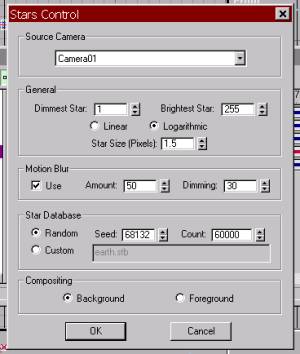
To create the starfield effect draw your scene out (or load mine up) and go to the video post window. Select the camera and settings, then select the starfield option.Click on setup to set the starfield settings to vary the number of stars, motion blur amount etc. In the view setting select the camera (probably camera01 if you haven't renamed it)
Star Control Dialog Box
Click 'OK' and then select the output. Then click on Execute and render the sequence.
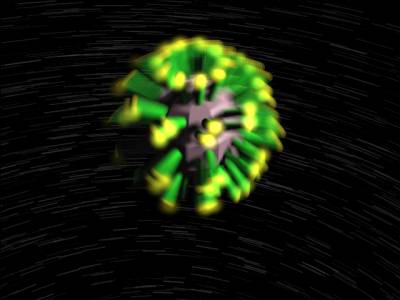
Here is a frame showing the motion blur effects.
Click the text below to download the animation and the scene
Starfield Animation and Scene (1649kb)
Starfield Scene only (17kb)
This tutorial was written and produced by Jonathan Davies. No unauthorised copying of the tutorial to put on your page without my permission. You may use the scene as you wish.