Jonathan Davies Designs - Graphics - Tutorials
3D Studio MAX 2 Tutorials - Video Post (Multiple camera switching)
One feature that I have found useful when animation is using different camera's to view a scene from different viewpoints. An example of this would be if you were watching cars racing around a race track. You could start off with a view inside the car and then have different views around the track. A helicopter view and views from different spectators chairs. This can all be achieved in video post.
1) The scene
First you need to draw out you scene. I am not going to help you with this one as it would take too long and we need to concentrate on the camera work. My scene is not supposed to be a masterpiece but just to show the camera switching in action.
2) Setting up the camera's
Place the camera's where you want them, in my scene I had three camera's, two fixed position ones and one tracking camera. For the fixed position cameras I linked the camera to a point which I linked to the spacecraft so that the camera would move with the space craft. I also linked the target of the tracking camera to follow the space craft.
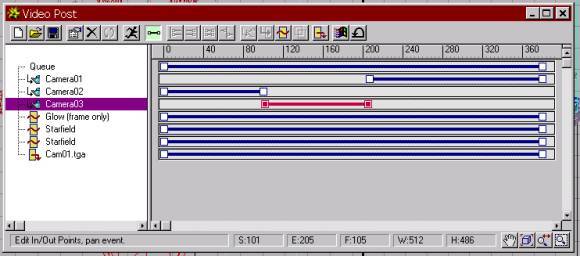
Once I had finished placing the camera I went to the video post window and loaded three new views (Camera01, Camera02 and Camera03) and set the rendering settings. Then I defined which bit each camera is going to film. My whole animation is 380 frames long (shortened, so the animation could be downloadable) and I split the cameras up as follows.
Camera01 (206 - 380)
Camera02 (0 - 100)
Camera03 (101 - 205)
The video post window should look like the image above. (Only the camera settings, ignore the rest)
3) Output
The animation is then outputted as an avi movie to play back later.
Here are three frames from my animation showing the different camera views.
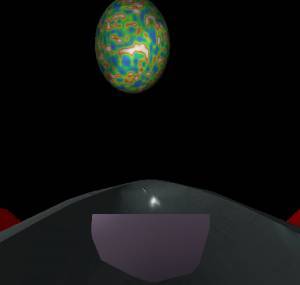
[Frame 99] (Fixed Cockpit camera)
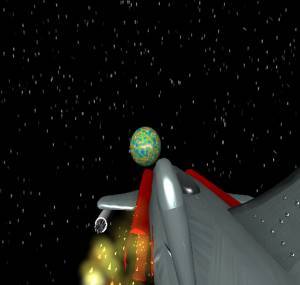
[Frame 199] (Fixed tail camera)
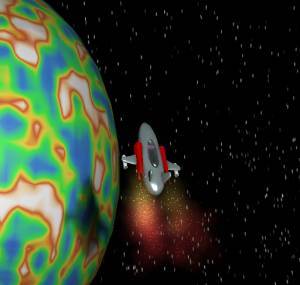
[Frame 299] (Outside, tracking Camera)
Also, to make the fixed cameras seem more realistic I added a noise modifier to the cameras to give them a little camera shake. This can be seen best with the tail camera.
You can download the final scene but I have taken the final animation off due to space restrictions.
Final Scene (21kb)
This tutorial was written and produced by Jonathan Davies. No unauthorised copying of the tutorial to put on your page without my permission. You may use the scene as you wish.